
Choreography and gesture
Dance, a specific walk, a hand movement that has to land on a beat.
Transfer a dance
Kling on Magnific
Kling 3.0 Motion Control takes a video of real movement and applies it to a different character or product, keeping the timing and the performance.
What's new
Pending values
See the full Kling changelogSpecs
The same 9 lines on every version page, so 2 versions read side by side. A dash means the value isn't confirmed on Magnific yet.
| Inputs | Image, VideoMotion from a reference video, look from an image |
|---|---|
| Max length | 15s |
| Resolution | 720p, 1080p |
| Frame rate | — |
| Native audio | No |
| References | 1 reference video |
| Aspect ratios | —Follows the reference video |
| Credits / s | 110 / 150Standard 720p / Pro 1080p |
| Plans | Credits on any paid plan |
Credits per second at list price. Where a line shows 2 figures, the note under it says what each one is.
Compare every Kling versionBest for
Generated motion reads as generated. Real motion doesn't. This is the version for when that difference matters.
Dance, a specific walk, a hand movement that has to land on a beat.
Transfer a dance
A real performance driving something that isn't a person.
Drive a character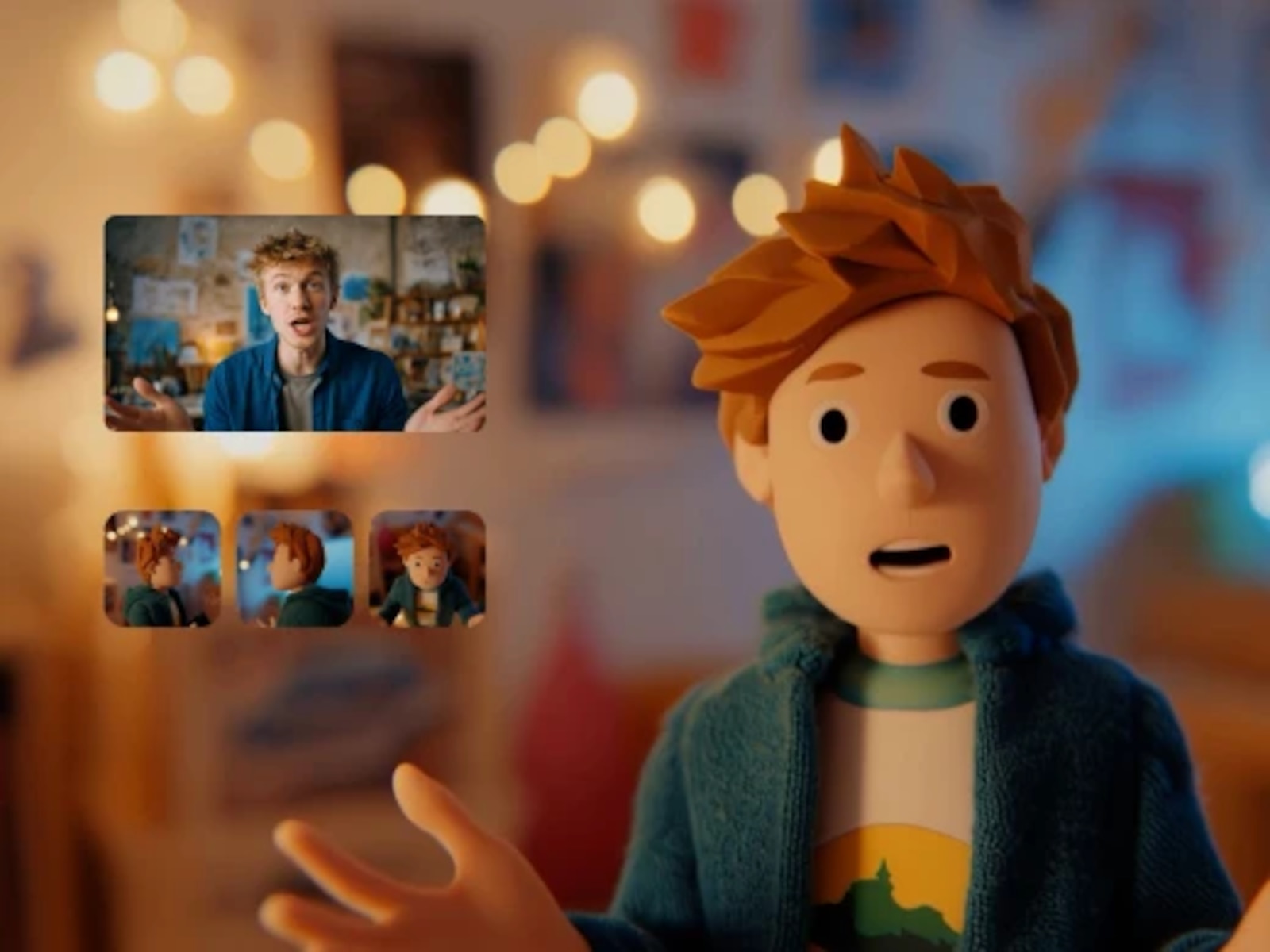
Where generated motion reads as generated and real motion doesn't.
Create with Motion ControlNumbers
Measured on Magnific over 30 days, across the web, the apps, the API, MCP, and agents.
01
100%
Motion Control is the only Kling version where 100% of generations start from a video. That's the point of it.
02
9s
The median Motion Control clip runs around 9s, against 5s across Kling. Real performances take their time.
Source: Magnific usage data, September 5 to October 4, 2026. Shares are of generations unless a figure says seconds.
A Kling mode that transfers the movement in a reference video to a different character or product, taken from an image, keeping the timing of the original performance.
110 credits per second at Standard 720p and 150 at Pro 1080p, at list price.
A reference video for the motion, an image for the look, and a prompt. Clips run from 3s to 15s, in up to 6 shots.
3.0 brings the 3.0 generation's realism and clips of up to 15s. 2.6 Motion Control runs the same inputs in clips of up to 10s for fewer credits.
Every paid plan, on credits. There's no Kling subscription and no separate account: pick the version in the video generator and go.
Kling 3.0 Motion Control, in the same generator as every other version.